
All profiles (workspace)
When you open weBrowser, All profiles in the left menu is your main workspace. Manage browser identities, proxies, and fingerprint settings from one list.
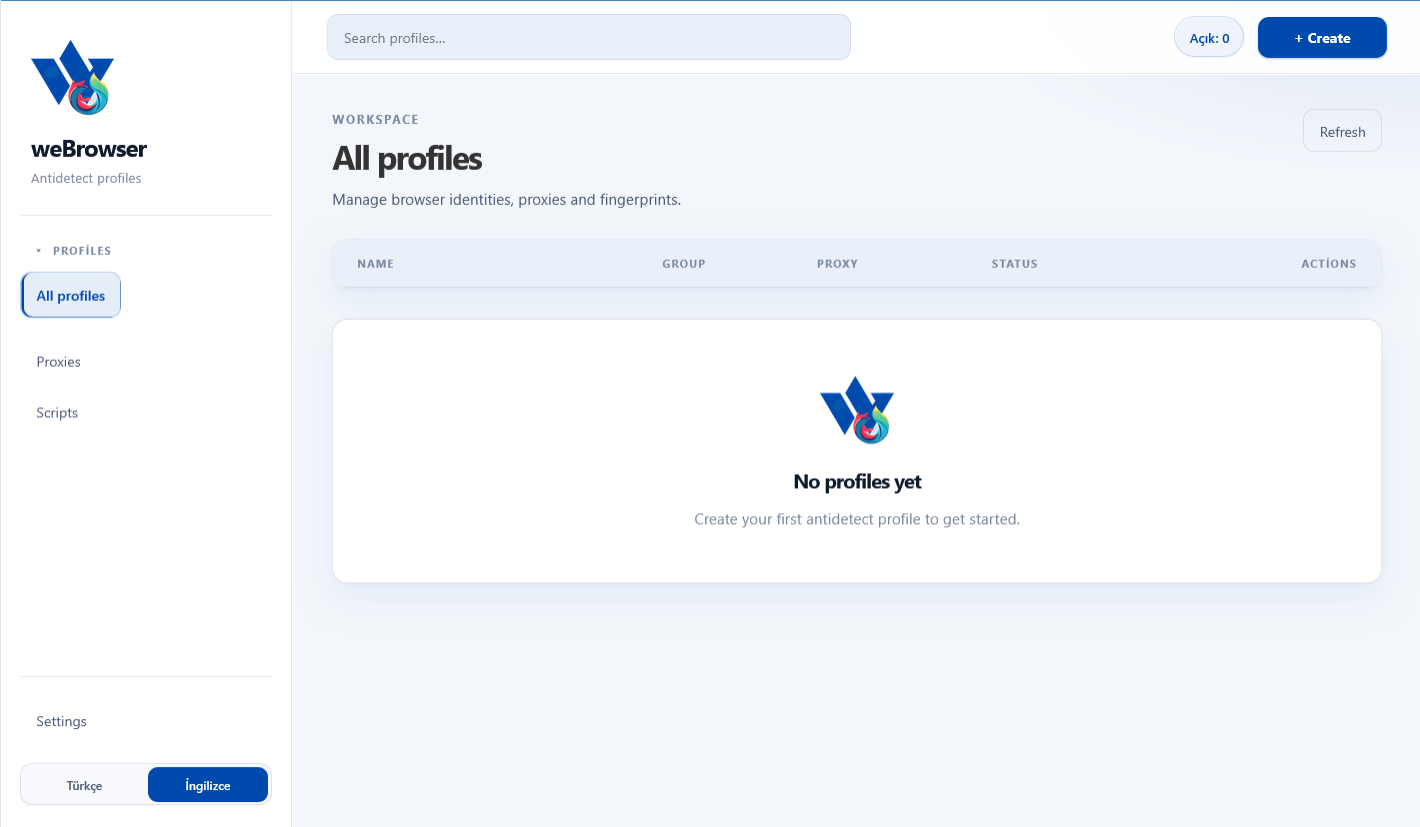
- Search profiles…: Quickly filter profiles by name.
- Open counter: Shows how many profiles are currently running.
- + Create: Opens the new antidetect profile dialog.
- Refresh: Reloads the list and status values.
- Table columns: Name, Group, Proxy, Status, and Actions summarize each profile.
If no profiles exist yet, an empty-state card prompts you to create your first antidetect profile.
Creating a new profile
Use + Create to open the New profile dialog and define identity plus network settings.
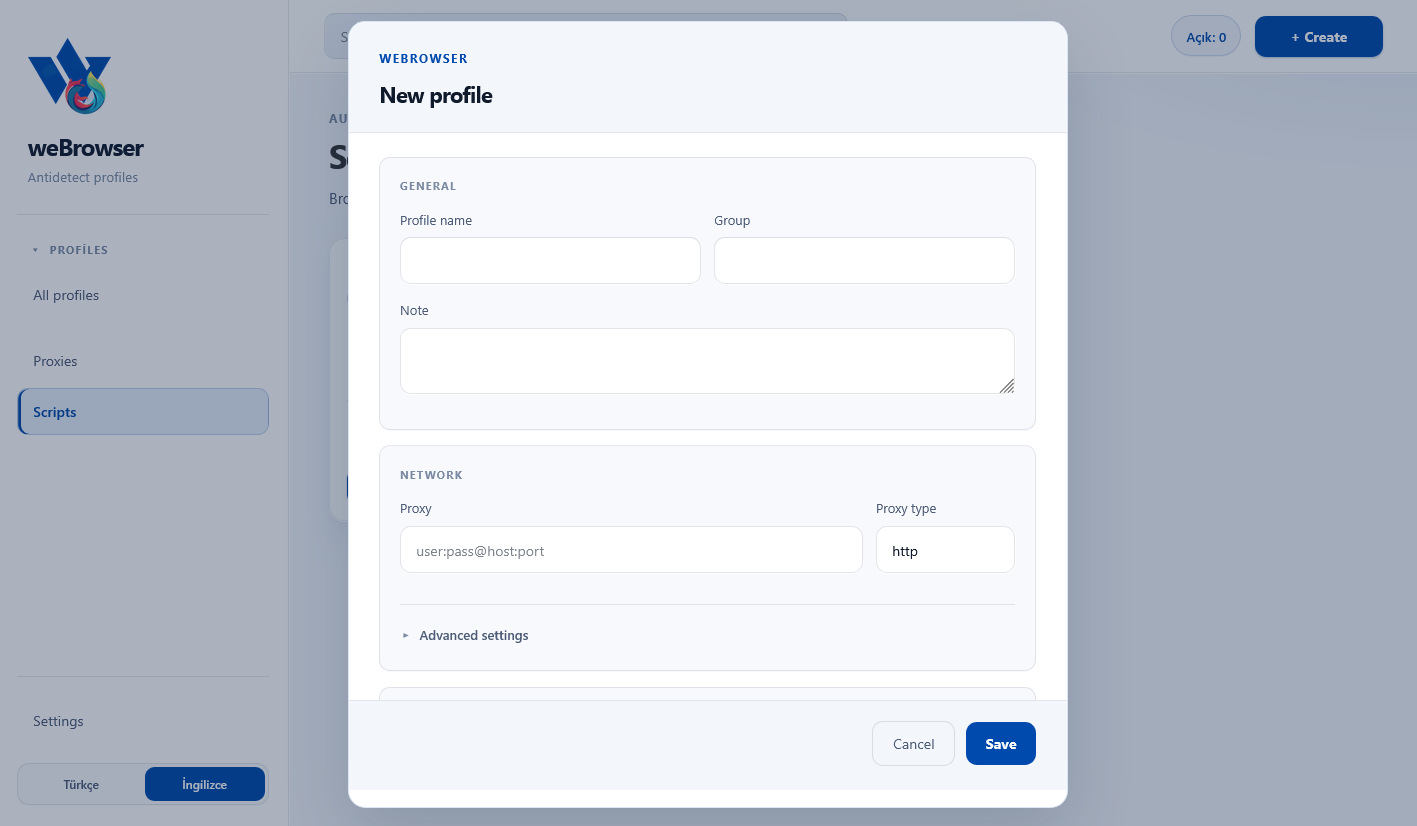
- General — Profile name: Unique name shown in the list.
- Group: Organize profiles by campaign or account type.
- Note: Free text for ops notes or reminders.
- Network — Proxy: Enter
user:pass@host:port. - Proxy type: Defaults to
http; choose HTTPS or SOCKS5 as needed. - Advanced settings: Expandable section for extra network / fingerprint options.
Save creates the profile; Cancel closes the form. Each profile runs in its own cookie, cache, and fingerprint capsule.
Proxy management
The Proxies page is the network layer: list, bulk check, and profile assignment live here.
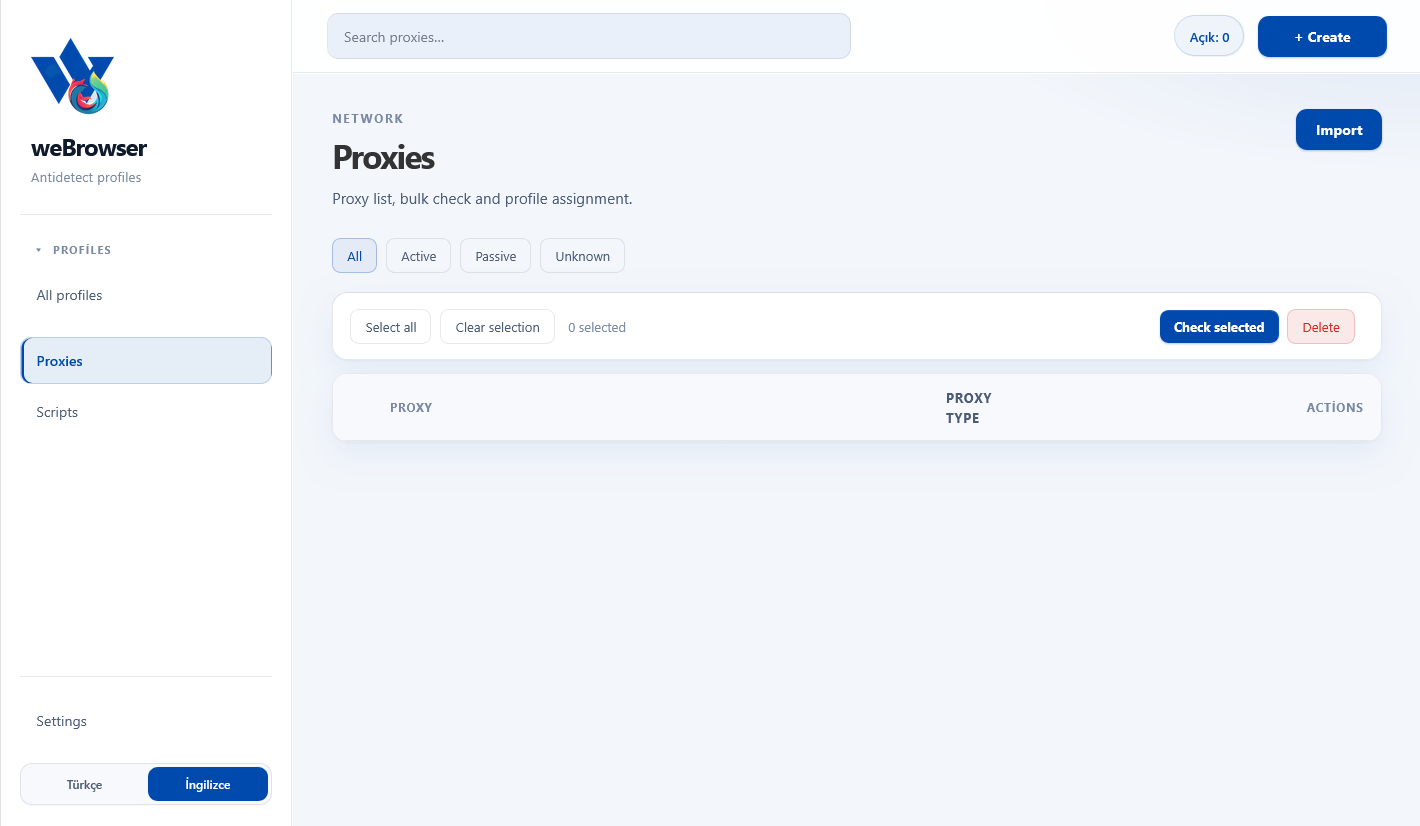
- Search proxies… / + Create: Add or find individual proxies.
- Import: Bulk-import a proxy list.
- Filter tabs: All, Active, Passive, Unknown.
- Check selected: Verifies live status of selected proxies.
- Delete: Removes selected rows.
- Table: Proxy address, type, and actions.
Assign a distinct proxy per profile to avoid IP overlap.
Scripts and automation
The Scripts screen is the automation area. Browse scripts and run them on selected profiles.
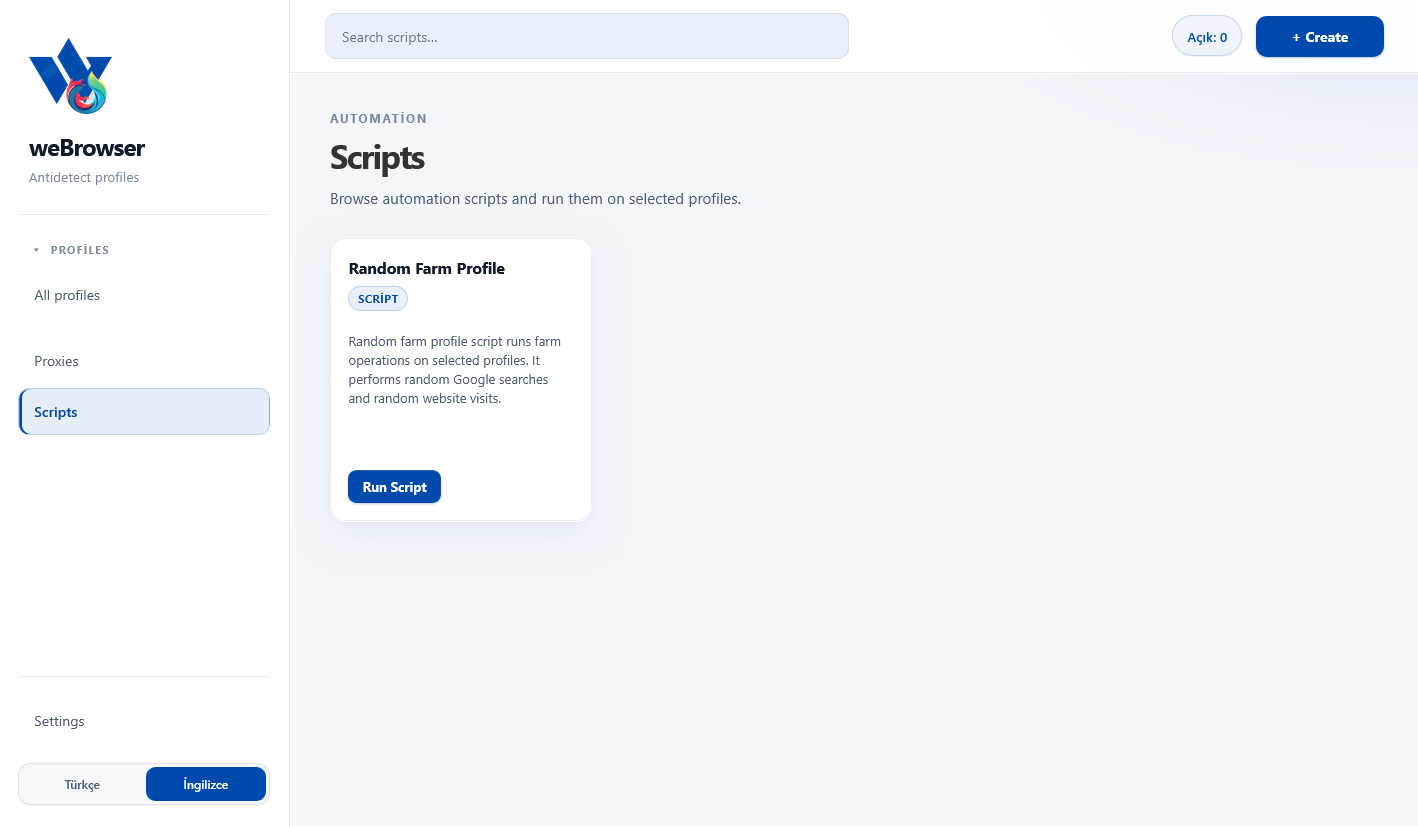
- Search scripts… / + Create: Find existing scripts or add new automation.
- Random Farm Profile: Runs farm ops with random Google searches and site visits on selected profiles.
- Run Script: Starts the script on the chosen profiles.
Use farm scripts on a schedule to warm cookies and simulate natural browsing.
Frequently asked
Is there a profile limit?
No. weBrowser has no profile cap; scale to hundreds of isolated identities based on your hardware.
What proxy format should I use?
Use user:pass@host:port in New profile or Proxies. Pick HTTP, HTTPS, or SOCKS5 in the type field.
What does Random Farm Profile do?
It performs random searches and site visits on selected profiles to strengthen cookie history and trust signals.
How do I change the UI language?
Use the Türkçe / İngilizce toggle at the bottom of the sidebar.