SERP simulation and organic clicking
Runs Google searches on your keywords, finds the target in results and clicks like a real user—aimed at improving organic CTR.
weSeo is Windows-based SEO automation built to strengthen search performance and UX metrics. It runs Google SERP simulation, organic clicks, on-site browsing and weBrowser-powered fingerprinting across organic, direct and referrer scenarios from one workspace. Sessions surface as organic traffic in Analytics and Search Console, and scale via scheduler, multi-thread and API.
Runs Google searches on your keywords, finds the target in results and clicks like a real user—aimed at improving organic CTR.
Keep traffic profiles natural and balanced with organic, direct and referrer scenarios.
Optional Google sign-in builds verified-user profiles, higher trust score and cookie history.
Goes beyond the homepage—browsing subpages and menus to lower bounce and deepen sessions.
Tune time-on-site and random movement duration to signal valuable content.
Mouse paths, scroll speed and waits are randomized to reduce robotic signals and anti-bot risk.
Manipulates Canvas, WebGL, AudioContext and related signals to create a unique device identity per session.
Works with industry-standard proxies including HTTP, HTTPS and SOCKS4/5.
Default mobile user-agent strings help classify traffic as mobile organic.
Visits and interactions appear as organic search traffic in GA4 and Google Search Console.
Steady use aims to lift SERP and similar ranking metrics via stronger CTR and engagement signals.
Fresh, regular traffic can encourage crawler visits and help shorten time-to-index for new content.
Detects AdSense and Google Ads areas and avoids clicking them—reducing ad-account risk.
Can block JPG/PNG/WebP loads to cut bandwidth and speed pages—especially on metered proxies.
Program start/end times with the scheduler and send traffic 24/7 per your strategy.
Open concurrent sessions across multiple threads based on CPU/RAM to raise hits per unit time.
Separate client projects, scale capacity and run bulk jobs—suited to commercial operations.
Connect weSeo to your CRM, dashboard or third-party automation with an API bot for start, stop and status queries. Manage these operations from weSeo Panel.
License covers one physical device; optimized for Windows 10/11 and Server 2019–2022. The product is continuously updated.
Selected screenshots from the product interface.
First steps after delivery.
Product updates and change notes.
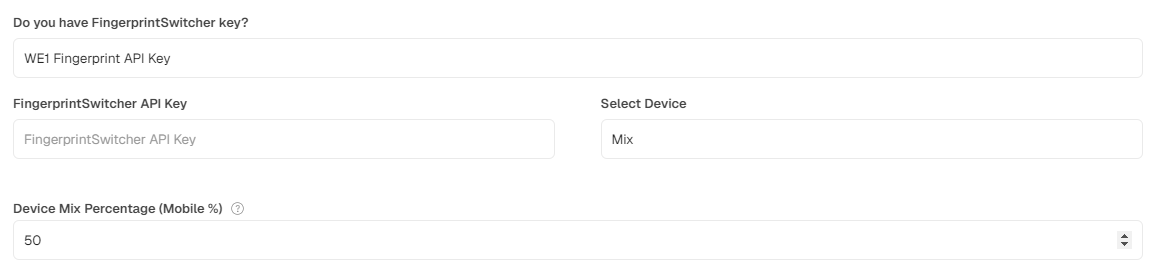
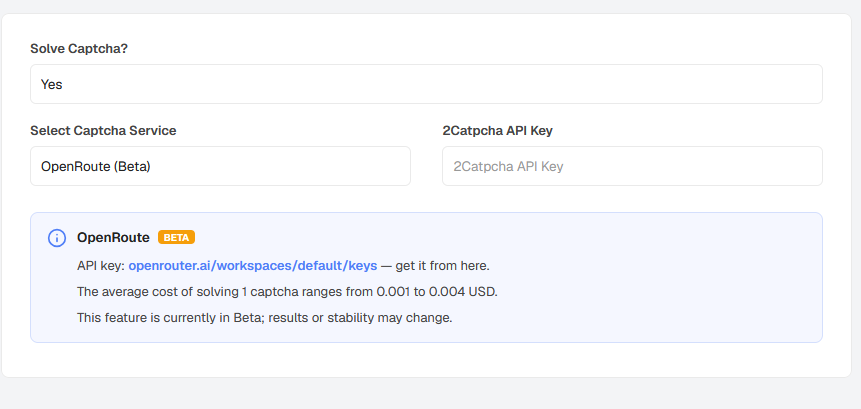
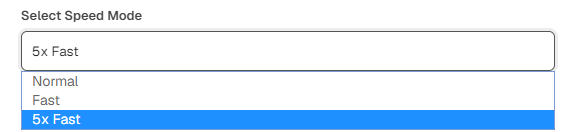
Performance-focused release: faster browser startup, refreshed Fast Mode, and resource optimizations.
weSeo Web Panel added: manage weSeo bot operations across devices or servers from one secure control center. Details: https://we1.town/bilgi/weseo-panel-nedir-web-panel-ile-1den-fazla-cihaz-nasil-yonetilir
Request mode proxy options, automatic Node updates, and stability fixes.
Major SaaS-direction release: multilingual UI, weSeo+Enterprise merge, and major performance gains.
Legal notice: Use of this software in line with target sites’ terms of service and applicable law is solely the user’s responsibility. The user bears all legal liability for spam, unauthorized access, service disruption or other misuse. The developer is not liable for restrictions or legal violations arising from how the software is used.