
weBrowser v3.0.1 lets you write your own automation script next to the built-in farm script. The script runs in the browser of the profile you choose. Proxy, fingerprint, and the profile folder come from the profile settings — do not put them in the script.
1. Open Scripts
Open Scripts from the left menu. The built-in SCRIPT card (random farm) stays at the top. Your own scripts are listed under Your scripts.
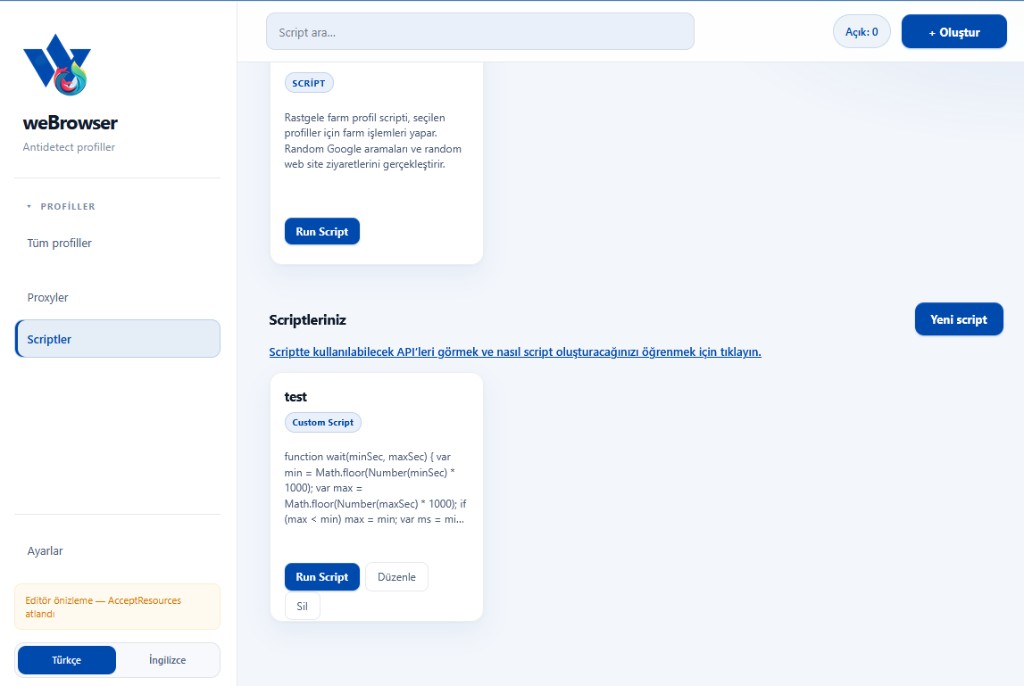
- New script: Creates an empty script.
- Run Script: Runs that card on the selected profile.
- Edit / Delete: Updates or removes a saved script.
- The blue link opens the API commands and the writing steps.
2. Name and code
New script or Edit opens the script editor. Script name is the label in the list. Write plain JavaScript in Script code. if, else, for, and while are normal JavaScript. Use await to run steps in order.
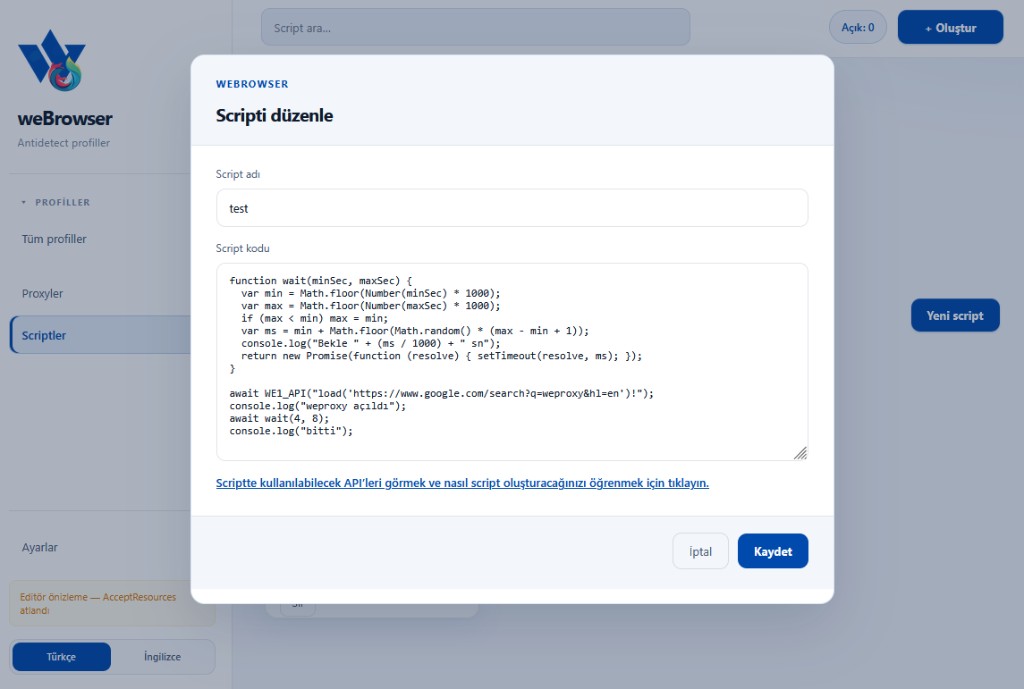
Example: open a Google search, wait a random 4–8 seconds, then log that it finished.
function wait(minSec, maxSec) {
  var min = Math.floor(Number(minSec) * 1000);
  var max = Math.floor(Number(maxSec) * 1000);
  if (max < min) max = min;
  var ms = min + Math.floor(Math.random() * (max - min + 1));
  console.log("Wait " + (ms / 1000) + " s");
  return new Promise(function (resolve) { setTimeout(resolve, ms); });
}

await WE1_API("load('https://www.google.com/search?q=weproxy&hl=en')");
console.log("weproxy opened");
await wait(4, 8);
console.log("done");
Save adds the script to the list. Cancel discards the draft.
3. Generate code with AI
The link in the same window opens How to write a script. Describe the task through the last step and give that prompt to an AI. Paste the full returned code into the script field, save it, then run it on a profile.
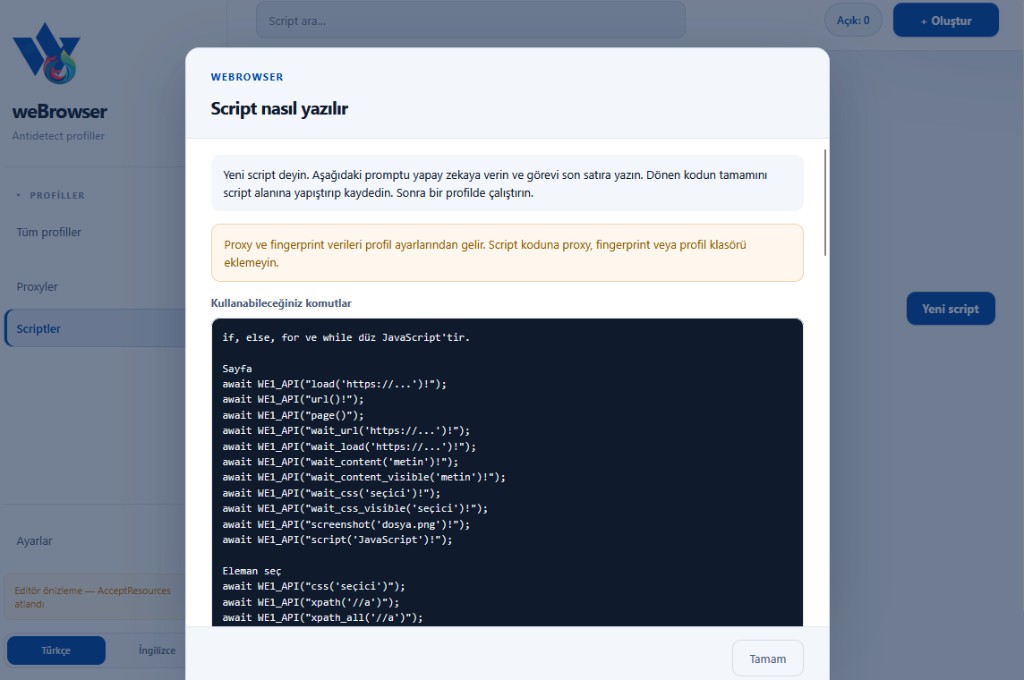
Proxy and fingerprint data come from the profile. Do not add a proxy, fingerprint, or profile folder to the script code.
Commands you can use
Page commands are called through WE1_API. The full current list is in the in-app How to write a script window.
load('https://...')— opens a URL.url()— reads the current URL.page()— reads page info.wait_url('https://...')— waits until the URL matches.wait_load('https://...')— waits until loading finishes.wait_content('text')andwait_content_visible('text')— wait until text appears.wait_css('selector')andwait_css_visible('selector')— wait until an element appears.screenshot('file.png')— takes a screenshot.script('JavaScript')— runs JavaScript in the page.css('selector'),xpath('//a'),xpath_all('//a')— select elements.
Example call: await WE1_API("load('https://...')");
4. Run it on a profile
After you save, use Run Script on the card. The profile’s proxy and fingerprint are applied to the session automatically. Start with a short flow (open a page, wait, write a log). Extend the steps once that run looks right.